1. Introduction
If you’re a beginner marketer or small business owner, I completely understand how overwhelming social media advertising can feel. You set up ads, spend money, and hope for results—but sometimes, the performance just doesn’t match your expectations.
That’s exactly where AI (Artificial Intelligence) becomes a game-changer.
I’ve spent years working with digital marketing tools, and I can confidently say this: AI doesn’t just make advertising easier—it makes it smarter. It helps you reach the right audience, create better ads, and improve your results without needing a huge team or budget.
In this blog, I’ll walk you through how I use AI to boost social media advertising results simply, and practically, you can start applying today.
2. Overview of AI in Social Media Advertising
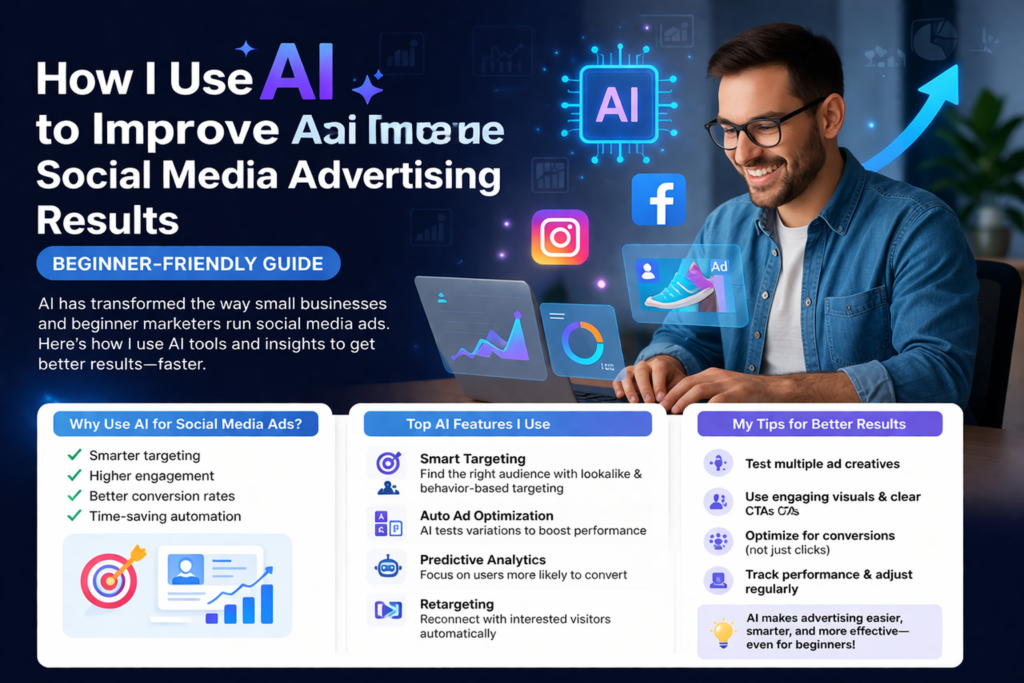
Let’s keep it simple—AI in advertising means using smart tools that analyze data, learn patterns, and automatically improve your campaigns.
Instead of guessing what works, AI helps you:
- Understand your audience better
- Optimize ad performance in real time
- Save time on manual work
- Increase ROI (Return on Investment)
For beginners, this is incredibly helpful because you don’t need years of experience to make smart decisions—AI does a lot of the heavy lifting for you.
3. Key Google Ads AI Features
Even though we’re focusing on social media, I always recommend learning from Google Ads because its AI features are some of the most advanced—and many social platforms use similar systems.
Here are some AI features I personally rely on:
🔹 Smart Bidding
This is one of my favorites. Google uses AI to adjust your bids based on the likelihood of conversion automatically.
Benefits:
- Saves time
- Improves conversion rates
- Reduces wasted ad spend
Example:
If someone is more likely to buy your product, AI automatically increases your bid for that user.
🔹 Responsive Search Ads
Instead of writing one ad, you provide multiple headlines and descriptions. AI mixes and matches them to find the best-performing combination.
Why it’s powerful:
- Tests variations automatically
- Improves click-through rates (CTR)
- Learns what messaging works best
🔹 Audience Targeting (AI-Based Segments)
Google uses AI to create audience segments based on user behavior, interests, and search intent.
You can target:
- People actively searching for your product
- Users with similar behavior to your customers
- Custom intent audiences
🔹 Performance Max Campaigns
This is a fully AI-driven campaign type that runs ads across multiple platforms (Search, YouTube, Display, etc.).
Why beginners love it:
- Minimal setup
- Maximum reach
- AI handles optimization
4. Social Media Analytics Tools
Now let’s talk about social media platforms like Facebook, Instagram, and others. These platforms also use AI heavily.
Here are some tools and features I recommend:
🔹 Meta Ads Manager (Facebook & Instagram)
Meta uses AI for:
- Audience targeting
- Ad placement optimization
- Budget allocation
Key AI features:
- Advantage+ campaigns
- Automatic placements
- Lookalike audiences
🔹 AI-Based Analytics Tools
These tools help you understand performance and improve results:
- Hootsuite Insights – Tracks engagement and trends
- Sprout Social – Provides detailed audience insights
- Google Analytics – Tracks conversions and user behavior
🔹 AI Content Tools
Creating ads can be hard—but AI helps here too:
- Generate captions
- Suggest headlines
- Create visuals
Benefits:
- Saves time
- Improves creativity
- Keeps content consistent
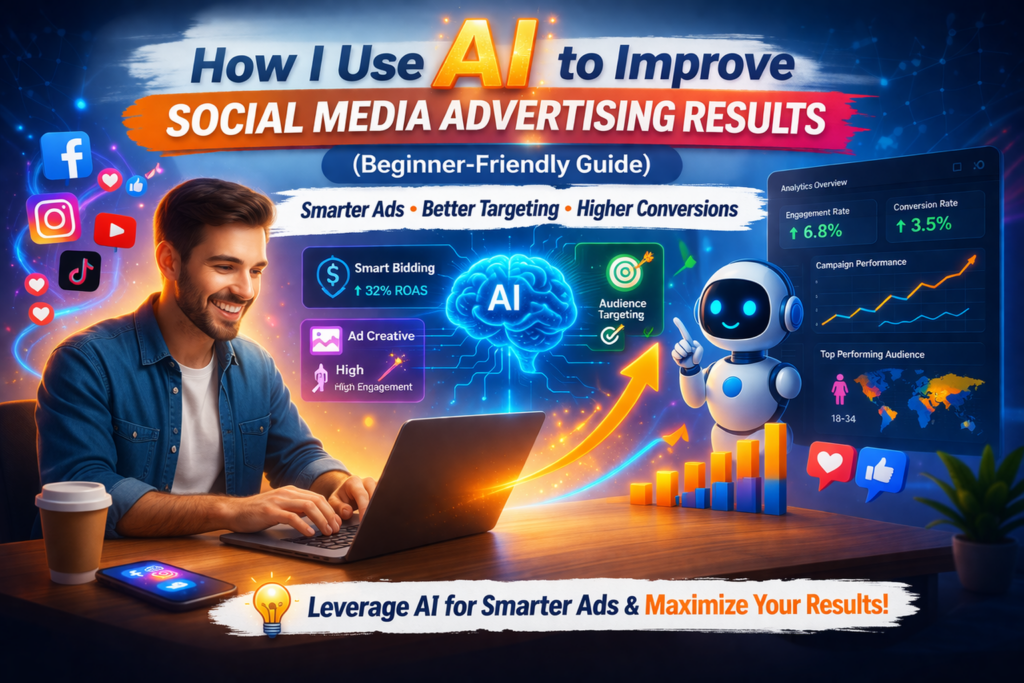
5. Tips for Better Engagement and Conversion Rates
Now let me share some practical tips I personally use to get better results with AI.
🎯 1. Use AI for Audience Targeting
Instead of guessing your audience, let AI help you.
What I do:
- Use lookalike audiences
- Target based on behavior, not just demographics
- Let AI expand audiences when possible
Result:
Better reach and more relevant users.
📊 2. Test Multiple Ad Variations
Never rely on one ad.
Use AI tools to:
- Create multiple headlines
- Test different visuals
- Try different CTAs (Call-To-Actions)
AI will automatically:
- Identify the best-performing ads
- Shift budget toward winners
💡 3. Focus on High-Quality Content
AI can optimize performance—but content still matters.
My tips:
- Use clear and simple messaging
- Add emotional appeal
- Include strong visuals or videos
Remember:
Good content + AI optimization = powerful results
⚡ 4. Optimize for Conversions, Not Just Clicks
Many beginners focus only on clicks—but conversions are what matter.
Use AI features like:
- Conversion tracking
- Smart bidding
- Retargeting campaigns
This helps:
- Increase sales
- Reduce cost per conversion
🔁 5. Retarget Your Audience
Most people don’t buy the first time they see your ad.
Use AI to:
- Retarget website visitors
- Show ads to people who engaged with your content
- Remind users about abandoned carts
Result:
Higher conversion rates with less effort.
📈 6. Analyze and Improve Regularly
AI gives you insights—but you still need to act on them.
Check regularly:
- Which ads perform best
- Which audience converts more
- Where you’re losing money
Then:
- Pause low-performing ads
- Scale high-performing ones
⏱️ 7. Save Time with Automation
One of the biggest benefits of AI is time-saving.
Automate:
- Ad placements
- Budget distribution
- Performance tracking
This allows you to focus on strategy instead of manual work.
6. Conclusion
From my experience, AI is not just a “nice-to-have” anymore—it’s essential for anyone serious about improving social media advertising results.
If you’re just starting out, don’t worry about mastering everything at once. Start small:
- Use AI-based targeting
- Test multiple ads
- Track conversions
- Learn from the data
Over time, you’ll notice:
- Better engagement
- Higher conversion rates
- Smarter ad spending
The best part? You don’t need to be an expert—AI helps you make expert-level decisions.
If you stay consistent and keep experimenting, AI can turn your social media ads into a powerful growth engine for your business.